Create Folder
Creates a folder
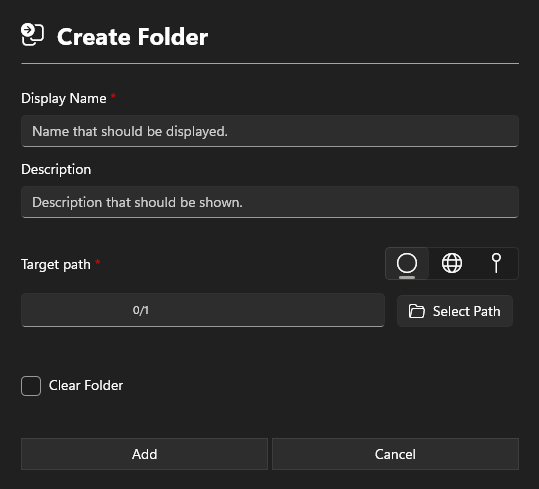
Information section
Display Name
Add an Displayname. This name will show in the App configurations.
Description
The description is also displayed in the App configurations and may contain information about the software.
Path section
There are three options available for setting the path:

- Custom path
- global path
- local path
Target path
Defines the folder where the data should be copied to.
Preview full path
Displays the entire path that has been selected.
info
The variable %TimeStamp% can be used to insert the current timestamp in the format YYYYMMSS_HHMM.
Settings section
Clear folder
Clears the folder